


Newsday
3.1764.00 Reviews
App Specs
- Version
- 6.2.0.04 - Live
- Updated On
- License
- Free
- Downloads
- 100,000+
- Developer
- Newsday
- Categories
- News & Magazines
- Platform
- Android
Screenshots
 Analysis by AppCompare
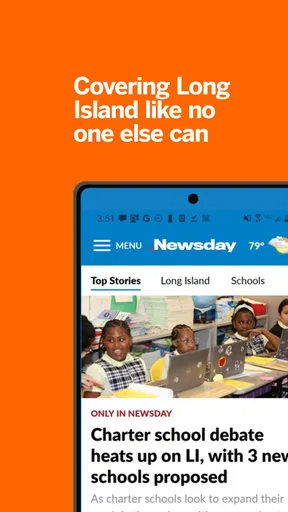
I would choose this app for one clear reason: I want a regular window into what is happening on Long Island, not another feed trying to cover every corner of the world. Newsday is a local-news app from Newsday, and that focus is both its strongest argument and its most important limitation. It is free to install, though some in-app purchases range from $0.99 to $149.99 per item, so I would check what is included before treating every part of the experience as cost-free.
Local coverage is the point
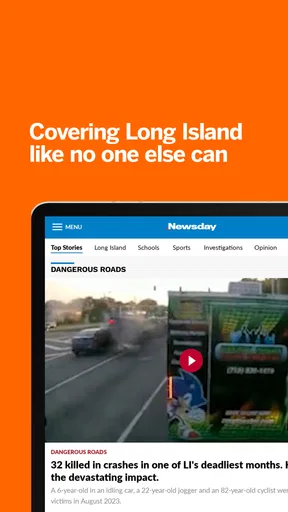
The practical value of a local news app is not simply having headlines on a phone. It is being able to check the stories that may affect the place where you live, work, commute, or spend time with family. Newsday’s emphasis on Long Island gives it a more specific role than a broad national-news feed. If that region matters to your day, opening one focused publication can be more useful than searching through general headlines and hoping the local story you need appears.
That focus also gives the app a natural boundary. I would not rely on it as my only source for international affairs, nationwide political coverage, or a broad comparison of viewpoints. A local outlet can be a helpful way to follow its community, but it is not a substitute for a mix of sources when I need a wider picture. The best use is as a dedicated local layer in a reading routine, rather than as a single all-purpose news destination.
A useful check-in, not a replacement for every source
In an ordinary day, I can imagine checking local coverage before leaving home, then returning to it later if a developing story affects plans. A report about a community issue, a public decision, or a disruption close to home has a different kind of relevance from a headline that is merely prominent nationwide. Keeping a regional publication in reach makes it easier to notice those stories without expecting a general aggregator to surface them consistently.
There is a trade-off in that convenience: a focused publication reflects its own editorial priorities and the area it serves. When a story is especially consequential, I would read the article carefully, note what is reported as fact, and compare it with another reliable source if I need broader context. That is not a reason to avoid local reporting; it is a sensible habit for any news reader, especially when a short headline cannot convey all the detail behind a complicated issue.
Who will get the most from it
I would recommend the app most readily to people with a real connection to Long Island who want a straightforward place to keep up with regional news. Residents, former residents who still follow the area, and readers with family or work ties there have a clear reason to make it part of their routine. Its subject matter is much less compelling for someone who wants a general-purpose feed tailored to many interests or who rarely needs local coverage from this region.
It may also be a poor fit for readers who prefer to get all their news from a single, mixed-source aggregator. Those services can make it easier to scan several publishers in one place; a publication-specific app offers a different benefit, namely a direct route to one outlet’s coverage. I would choose based on what I want to read, not on an assumption that one format is automatically better. If breadth and side-by-side source discovery are priorities, a broader news app may suit you better; if Long Island reporting is the priority, this narrower focus is a strength.
Worth Reading Before You Choose

EA SPORTS FC Mobile 26 Is a Bigger Football Game, but It Takes Time

Flipboard Shows What News Apps Must Do Beyond the Feed

Switching to Android Auto Means Rethinking Your Driving Routine

Google Calendar Makes a Crowded Week Easier to Manage

Ludo King Makes the Most of the Minutes Between Plans

Baby Panda World Brings Quick Play to Modern Phones, but Its Game Library Feels Busy
For a first-time reader, I would start by checking the app’s current sections and the stories being featured, then decide whether its coverage matches the questions I actually have. I would also pay attention to any purchase prompts before subscribing or buying anything. The app is free to download, but the presence of in-app purchases means the sensible approach is to understand the terms shown in the app before committing to a paid option.
Newsday is a news and magazines app for Everyone, and it has been available since Nov 17, 2011. Its current version is 6.2.0.03 - Live, and it requires Android 9 or later. The app has a 3.3 average from around 1.3K ratings, with roughly 757 written reviews and over 100K installs. Those figures offer a little context, but they do not tell me whether its local reporting matches a particular reader’s needs; the regional focus is the more useful decision point.
One practical way to judge that fit is to use it as a short, intentional check-in rather than letting news consume the day. I would open it when I want to see what is being covered locally, read the pieces relevant to my plans, and then leave the feed instead of treating every notification or headline as urgent. That approach makes a focused news app useful without asking it to replace deeper reading or a wider mix of publications.
Ever found yourself in a whirlwind of news updates, struggling to keep up with everything that's happening around the world? Enter Newsday, a nifty app that promises to streamline your news consumption into something both manageable and enjoyable. I've spent some time diving deep into this app, and here's how it stacks up.
Getting Started with Newsday
First impressions matter, and Newsday doesn't disappoint. The app's interface is sleek and intuitive, making it a breeze to navigate even for those who aren't exactly tech-savvy. I was up and running within minutes, with no need for a tedious signup process. My initial thought? Finally, an app that respects my time!
Once you're in, you're greeted with a customizable homepage that lets you select topics of interest. Whether you're into politics, tech, or the latest celebrity gossip, Newsday has you covered. I appreciated the way it allowed me to tailor my experience to suit my personal interests. Who doesn't like a bit of personalized news delivered right to their fingertips?
Diving Deeper: Features and Functionality
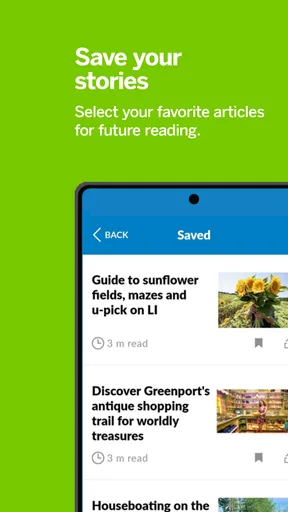
What sets Newsday apart is its robust set of features designed to enhance your reading experience. One of my favorites is the "Read Later" option, which lets you save articles to read at your leisure. It’s perfect for those of us who stumble upon intriguing headlines but don't have time to dive in immediately. Trust me, it's a lifesaver during a busy commute or a quick coffee break.
Another feature that caught my eye is the "Daily Briefing." This handy tool compiles the top stories of the day into a concise summary, ensuring you’re always in the loop without getting overwhelmed. I found this particularly helpful on days when I didn't have time to scroll through endless news articles.
For those who love a good visual, Newsday includes a "Photo of the Day" section. It's a neat way to get a snapshot of current events, quite literally. The images are crisp and tie in well with the top stories, adding a visual punch to your news feed.
Staying Updated: Notifications and Alerts
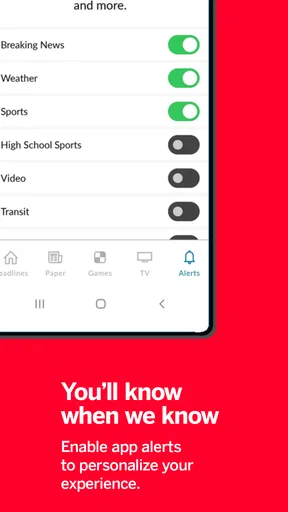
Let's talk about notifications. We all know they can be a double-edged sword, but Newsday handles them gracefully. The app allows you to customize alerts, ensuring you’re only notified about the news that truly matters to you. I found this feature incredibly useful, as it kept me from being bombarded with unnecessary updates. Instead, I received timely alerts on stories I was genuinely interested in.
For the more hardcore news junkies out there, the app also offers breaking news alerts. These ensure you’re the first to know when something major happens. I appreciated how unobtrusive these alerts were, keeping me informed without being disruptive.
What About the Content?
Now, onto the meat of the matter: the content itself. Newsday aggregates stories from a variety of reputable sources, giving you access to a wide range of perspectives. Whether you lean left, right, or somewhere in the middle, there's something for everyone here. I found the breadth of coverage to be impressive, making it easy to get a well-rounded view on any given topic.
One standout aspect is the app's effort to highlight diverse voices and lesser-known publications. This approach not only broadens your horizon but also introduces you to fresh opinions and takes you might not encounter elsewhere. It’s like a breath of fresh air in a world where echo chambers are all too common.
Final Thoughts
So, is Newsday worth a download? In my book, absolutely. It's a thoughtfully designed app that delivers on its promise of simplifying news consumption. With its user-friendly interface, customizable features, and diverse content, it’s a solid choice for anyone looking to stay informed without the usual hassle.
Whether you’re a casual reader or a news enthusiast, Newsday has something to offer. So why not give it a shot? After all, staying informed should never feel like a chore.
Pros
- User-friendly interface
- easy to navigate.
- High-quality journalism from reliable sources.
- Customizable notifications for breaking news.
- Offline reading mode available.
- Wide range of topics covered extensively.
Cons
- Subscription required for full access.
- Occasional ads can be intrusive.
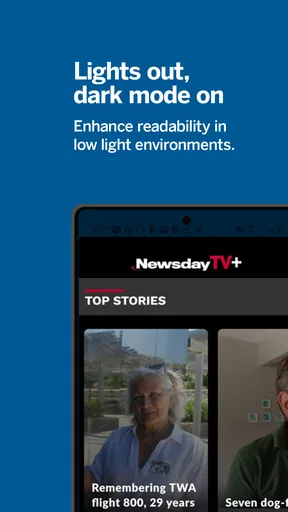
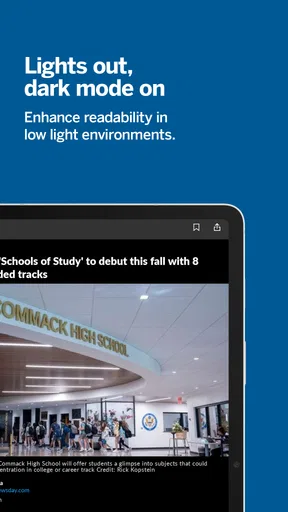
- No dark mode option for night reading.
- App can be slow to load on older devices.
- Limited interactive content or multimedia.
FAQs for Newsday
What is Newsday and what does it offer?
Newsday is a comprehensive news application that provides users with the latest news and updates from around the world. It offers a wide range of topics, including politics, entertainment, sports, and technology. The app features real-time notifications, customizable news feeds, and in-depth analysis to keep you informed and engaged.
Is Newsday available for both Android and iOS devices?
Yes, Newsday is available for download on both Android and iOS platforms. Users can easily find the app on Google Play Store for Android devices and the Apple App Store for iOS devices. It is designed to provide a seamless experience across different operating systems, ensuring accessibility for a wide audience.
Does Newsday require any subscription or payment to access its content?
Newsday offers both free and premium subscription options. While the free version provides access to a variety of news articles, the premium subscription unlocks additional features such as ad-free reading, exclusive content, and advanced personalization options. Users can choose the plan that best fits their needs and preferences.
How does Newsday ensure the credibility of its news sources?
Newsday partners with reputable news organizations and employs a team of experienced journalists to ensure the accuracy and credibility of its content. The app prioritizes verified information, and each article goes through a rigorous editorial process. Users can trust that they are receiving reliable news from trustworthy sources.
Can I customize my news feed on Newsday?
Absolutely. Newsday allows users to customize their news feed according to their interests. Users can select specific topics or categories that they want to follow, ensuring a personalized experience. Additionally, the app's smart algorithm learns from user interactions to suggest relevant articles, making it easier to discover new content.


